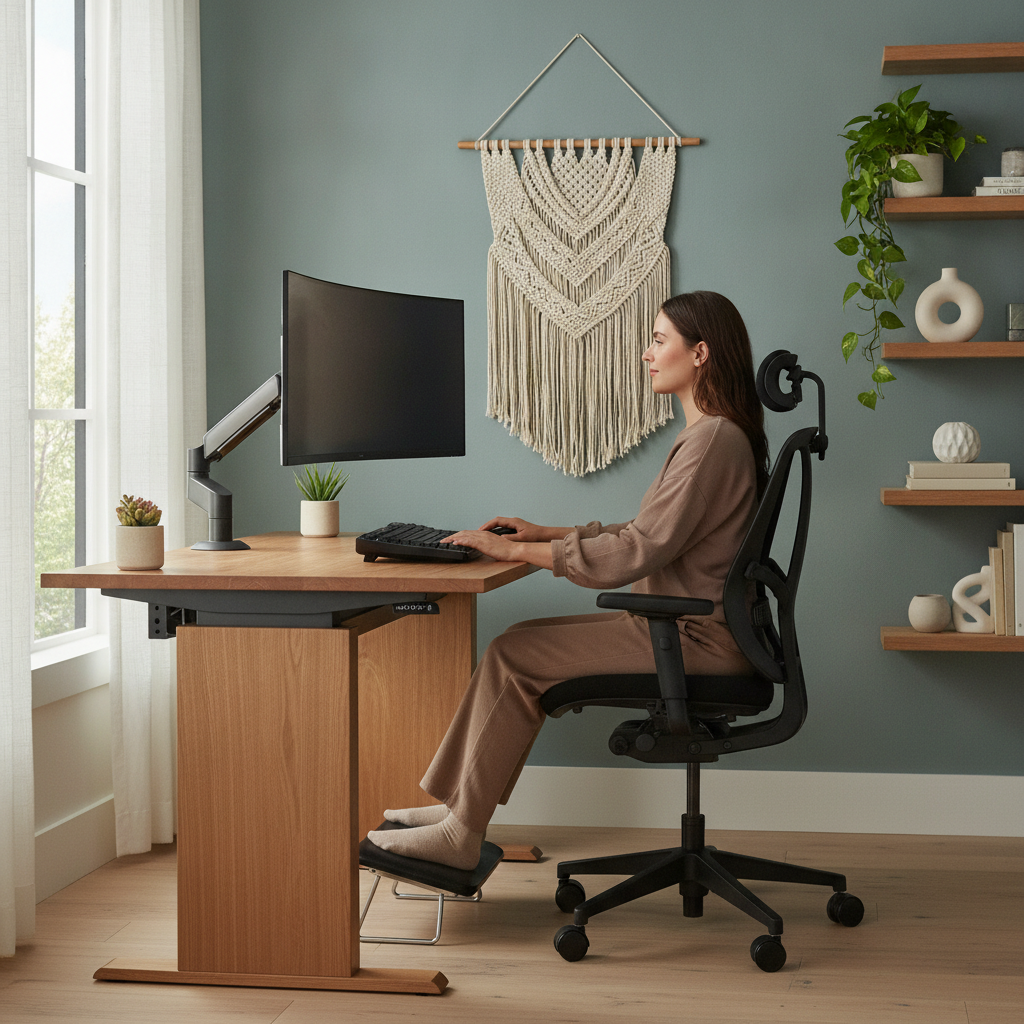
Most people who work from home reach a point where they notice something is off — not dramatically wrong, but persistently draining. The chair that seemed fine in the morning feels punishing by three in the afternoon. The monitor that looked good in photos is always slightly too low. The desk you arranged to face the window floods your screen with glare by midday. This kind of low-level physical friction rarely announces itself loudly. It just costs you a little more energy than necessary, hour after hour, until the end of the day arrives and you feel far more exhausted than the actual work demands.
The good news is that most of these problems are solvable with deliberate rearrangement rather than expensive purchases. What follows are eight practical changes you can make to how your home office is physically structured — starting with your body's needs before any other consideration.
Starting With Monitor Height Before Anything Else
The position of your monitor is the single most consequential variable in a home office setup. When the screen sits too low — which is the default for laptops and most desk arrangements — your head tilts forward constantly, loading the muscles of your neck and upper back far beyond their resting capacity. A general guideline is to position the top edge of your monitor at or just below eye level when you're seated upright. For laptop users, a stand like the Rain Design mStand combined with an external keyboard fixes this immediately without requiring a larger desk.
Placing Your Chair at the Right Height First, Then Adjusting the Desk
Most people set their desk height first and then try to fit the chair around it, which is the wrong sequence. Your chair height should be set so your feet rest flat on the floor and your thighs are roughly parallel to it, with your elbows near desk level when your arms hang naturally at your sides. Once the chair is right, the desk height follows from there. If your desk is fixed and too high, a monitor arm and a keyboard tray can bring working surfaces to where your body actually is rather than forcing your body to reach up to where the furniture happens to sit.
Treating Lumbar Support as a Non-Negotiable Baseline
The lower back's natural inward curve tends to collapse over time when you sit without support, and this is where a significant portion of end-of-day fatigue originates. You don't need a Herman Miller Aeron to address this — a rolled towel secured at the base of a standard chair back accomplishes the same mechanical function at no cost. The goal is to prevent the lumbar spine from rounding forward into a C-shape. When that curve is maintained passively by your chair rather than actively by your muscles, those muscles are free to do less work across the entire session.
Repositioning Your Keyboard and Mouse Closer to Your Body
Reaching forward to type or use a mouse seems trivial, but the shoulder and forearm muscles involved in holding that extended position are engaged continuously for hours. Bringing the keyboard and mouse closer — so your elbows stay near a ninety-degree angle and your wrists aren't extended — releases that constant low-grade muscular effort. A compact keyboard, which eliminates the numpad found on full-sized models, lets the mouse sit significantly closer to your centerline. Logitech's MX Keys Mini is a commonly cited option for this reason, though any compact layout achieves the same spatial benefit.
Reorganizing the Room to Eliminate Awkward Head Rotations
If your monitor, your reference materials, or a second screen require you to turn your head repeatedly to one side throughout the day, the cumulative strain on your neck is considerable. Map out how many times per hour you rotate your head to look at something, then rearrange so everything you look at frequently sits within a narrow arc directly in front of you. Secondary items — a whiteboard, a bookshelf, a printer — belong to the side or behind you where you visit them occasionally rather than constantly.
Addressing Glare and Eye Strain as a Posture Problem
It might not seem obvious, but screen glare and poor lighting directly affect your posture. When you can't see your monitor clearly, you lean in. You tilt your head. You shift your torso sideways to avoid a reflection. Over a long session, these small compensatory movements add up into real muscular fatigue. Positioning your monitor perpendicular to windows rather than facing them or sitting with your back to them eliminates most glare without any additional equipment. A bias lighting strip behind the monitor — a simple LED strip, available from brands like Elgato — reduces the contrast between screen brightness and ambient room light, making sustained focus far less physically taxing.
Building Transition Moments Into the Physical Space Itself
The layout of a room can either encourage you to stay seated for hours without interruption or gently prompt you to move. Placing items you use regularly — a water bottle, a notepad, reference books — slightly out of arm's reach means you naturally stand and move several times per hour without scheduling it. This isn't about hitting a step count. Brief position changes interrupt the muscular loading patterns that build into discomfort, and they do so far more effectively than a single long walk at lunch. Design your space so movement is the path of least resistance rather than a deliberate override.
Deprioritizing Aesthetics Until Posture Requirements Are Met
Desk plants, gallery walls, matching storage bins, curated shelving — none of these hurt your workspace, but they become costly when they're chosen before ergonomic function is established. A beautiful monitor position that's six inches too low is still six inches too low. Once the postural fundamentals are in place — screen height, chair fit, keyboard distance, lighting — you have a stable foundation on which aesthetics can be layered freely. The visual comfort of a well-designed space genuinely contributes to how you feel at work, but it can't compensate for a layout that's mechanically working against you for eight hours a day.
A home office that's arranged around how your body actually functions tends to feel less like a workspace you endure and more like one that supports you. The changes involved are rarely dramatic — often a stack of books under a monitor, a different chair adjustment, a rearranged desk surface. Start with one area, notice how your body responds by the end of the day, and build from there. Small structural decisions made early in the morning pay quiet dividends across every hour that follows.